PMA Lab 18-02: Packers and Unpacking
Your goal for the labs in this chapter is simply to unpack the code for further analysis. For each lab, you should try to unpack the code so that other static
Lab 18-02
Your goal for the labs in this chapter is simply to unpack the code for further analysis. For each lab, you should try to unpack the code so that other static analysis techniques can be used. While you may be able to find an automated unpacker that will work with some of these labs, automated unpackers won’t help you learn the skills you need when you encounter custom packers. Also, once you master unpacking, you may be able to manually unpack a file in less time than it takes to find, download, and use an automated unpacker.
Each lab is a packed version of a lab from a previous chapter. Your task in each case is to unpack the lab and identify the chapter in which it appeared.
The files are Lab18-01.exe through Lab18-05.exe.
Notes
This is an interesting challenge, to which I would like to extend the difficulty, and increase realism.
- As recommended in the Lab guide, using automated unpackers won’t help learn the required skills, so I won’t be using any automated tools.
- As per the Lab guide, each lab is a packed version of a lab from a previous chapter. However, I won’t be checking one by one or fully analyzing the code on each file just to see if I remember the exercise. Instead, I will expand some of the content that is not necessarily covered in Practical Malware Analysis.
- In this exercise we already know that all files are packed, however, in real scenarios we don’t. Here I’ll briefly analyze each file and confirm how one could get to the conclusion that they are packed, and which packer is used. From there, I’ll start the unpacking process.
Unpacking
Using PEStudio, it is possible to find out that this file is packed with FSG.
- The File has a section with a raw size of 0, but virtual size of 12288 bytes. This suggests that the code or data in this section is generated or unpacked at runtime, which is a common characteristic of packed Malware.
- The sections have no names, which is also not common.
- Doesn’t have many strings, nor are they relevant.
- It only has two Imports (LoadLibrary, and GetProcAddress). Everything else will likely be dynamically loaded.
With this, let’s start the unpacking process using x32dbg.
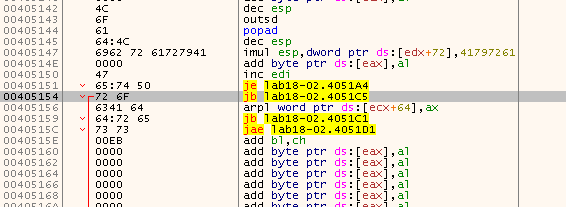
Searching for a low-hanging fruit jump tail didn’t produce any positive results. Neither of the following jumps worked, and before the code got there at somepoint it had already jumped to a different section:
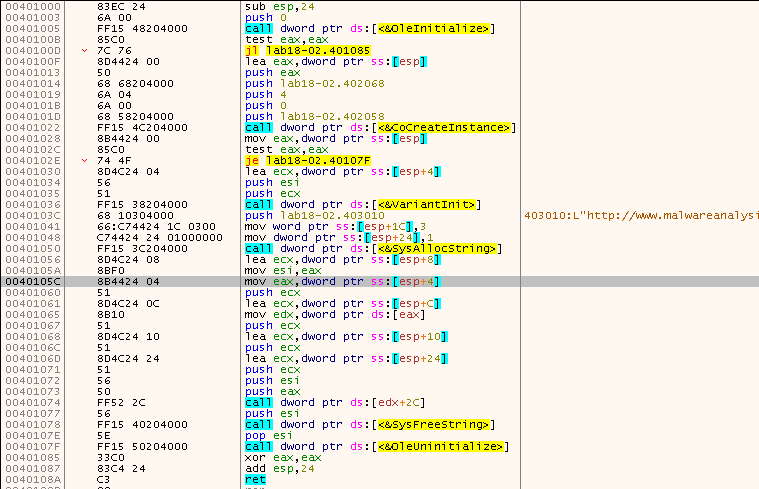
Thus, I started to step through the unpacker stub. At some point EIP got to a different section, which was empty before:
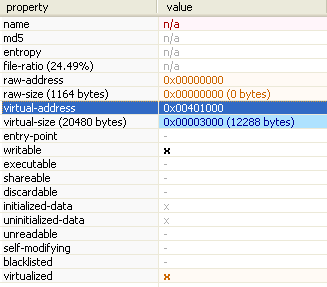
Although these sections have no names, it is possible to confirm using PEStudio that this section in particular takes no space in disk, but do take space in memory, meaning that during run time this section is written to:
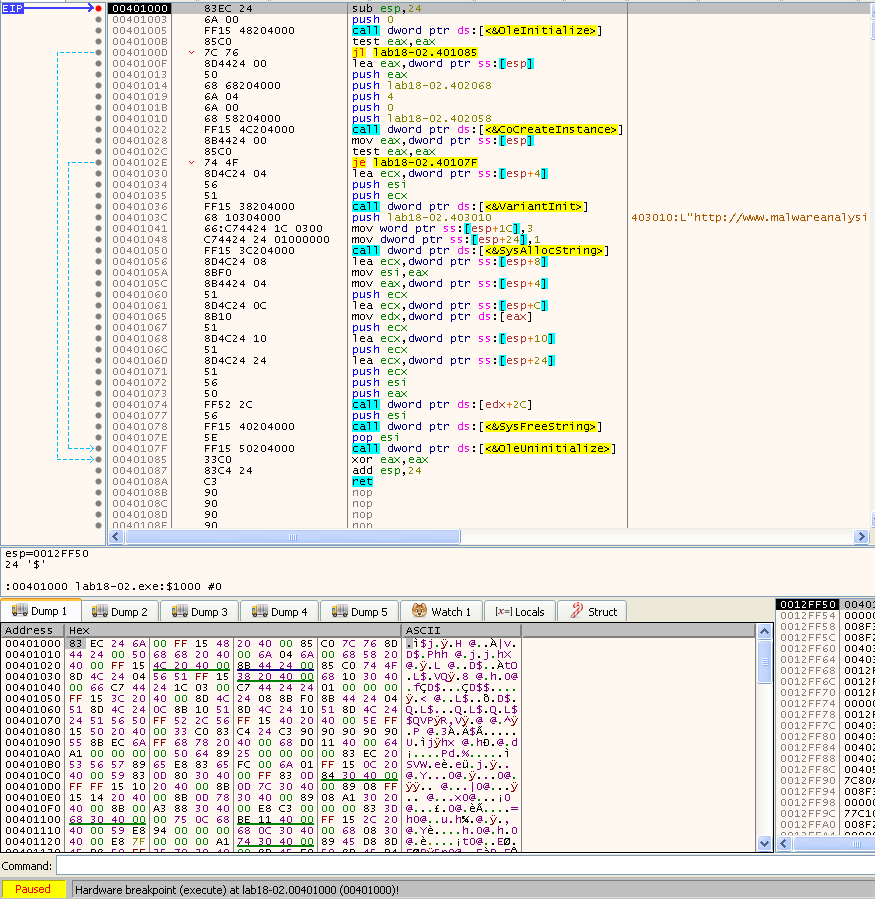
These are all typical behaviors of Packed Malware, and also looking at the code, it does make up a readable disassembly, from which for instance an URL standout in 40103C. Still, at this point the OEP isn’t confirmed, although it is very likely to be 401000. In order to confirm this, we can restart the debugging session and set a hardware breakpoint on execute, in that address. After removing all previous breakpoints and pressing F9, the code stops exactly at 401000, hence, our OEP:
Knowing the OEP, we can use Scylla, to dump the file, and fix the IAT:
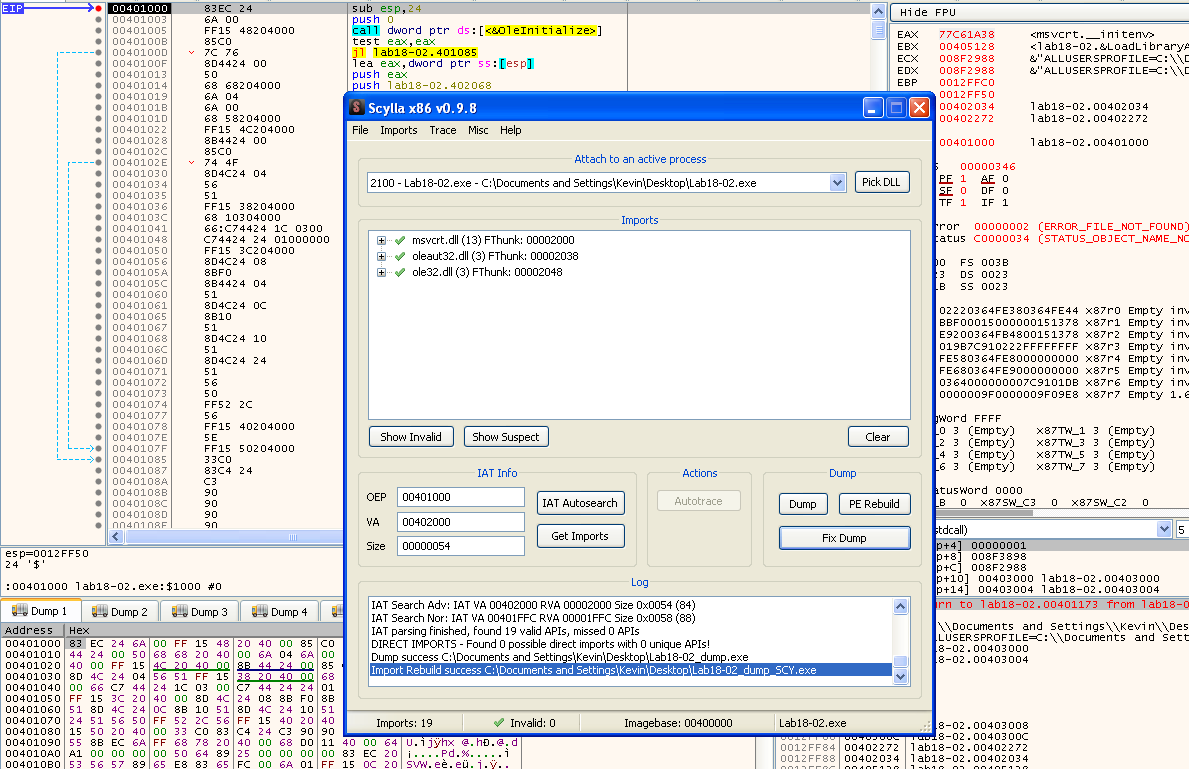
Now that we have a functional unpacked sample, one could start analyzing it:
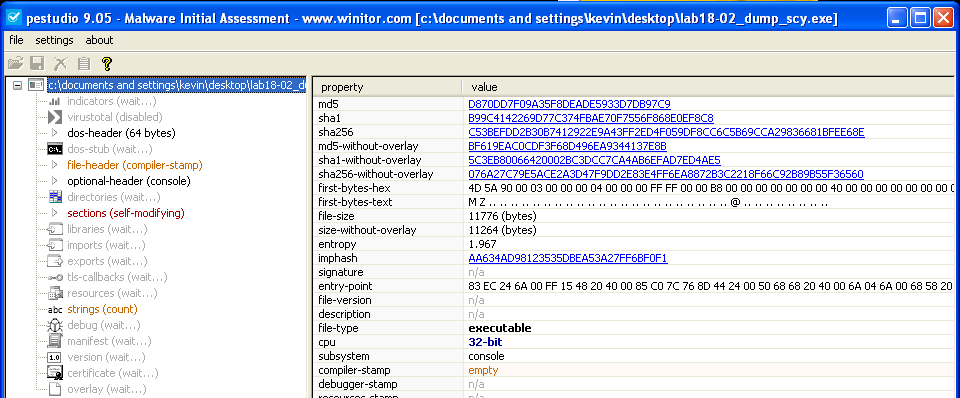
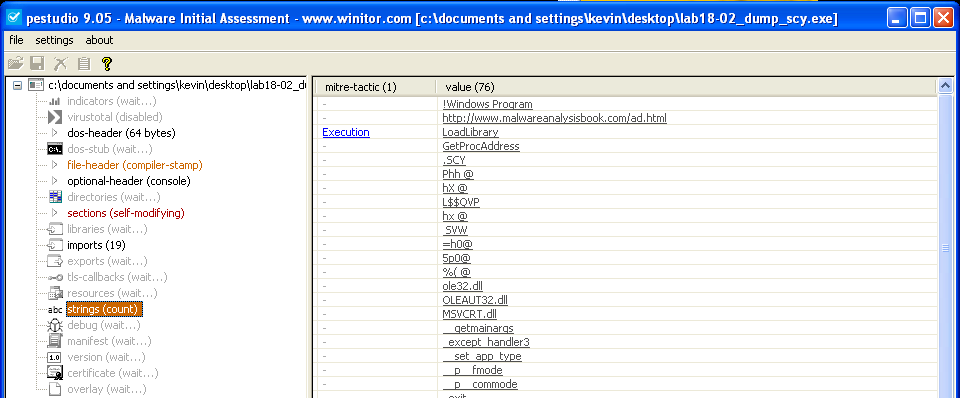
Elements such as strings, and Imports are now readable:
Finding the original sample
In order to find out the original Sample I’ll stick to the method I used in Lab18-01. First I’ll use ssdeep to compare the unpacked sample against the entire PMA Sample dataset, and find the likely candidates:
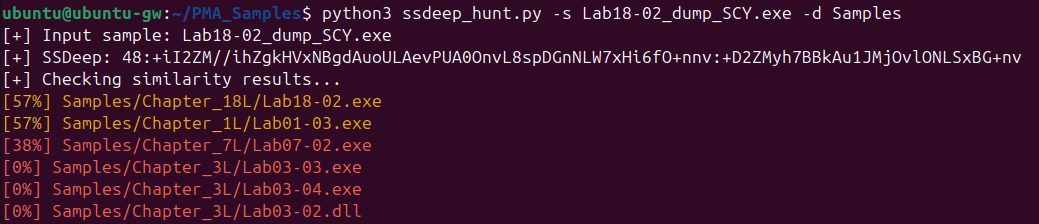
In this case, there are 3 candidates. Lab18-02.exe (57% similar) is the packed sample, so it will be discarded since the similarity lies in the unpacked stub. Thus, we’re left with Lab01-03.exe (57% similar), and Lab07-02.exe (38% similar), as the only candidates.
In order to confirm which of these samples have been packed into Lab18-02.exe, again I will use BinDiff.
We can take some interesting conclusions with the results. Lab18-02.exe, Lab18-02_unpacked.exe, and Lab01-03.exe are 57% similar, however, using structural diffing we can find out that they are not that similar at all:
- Lab01-03 vs Lab18-02_unpacked.exe
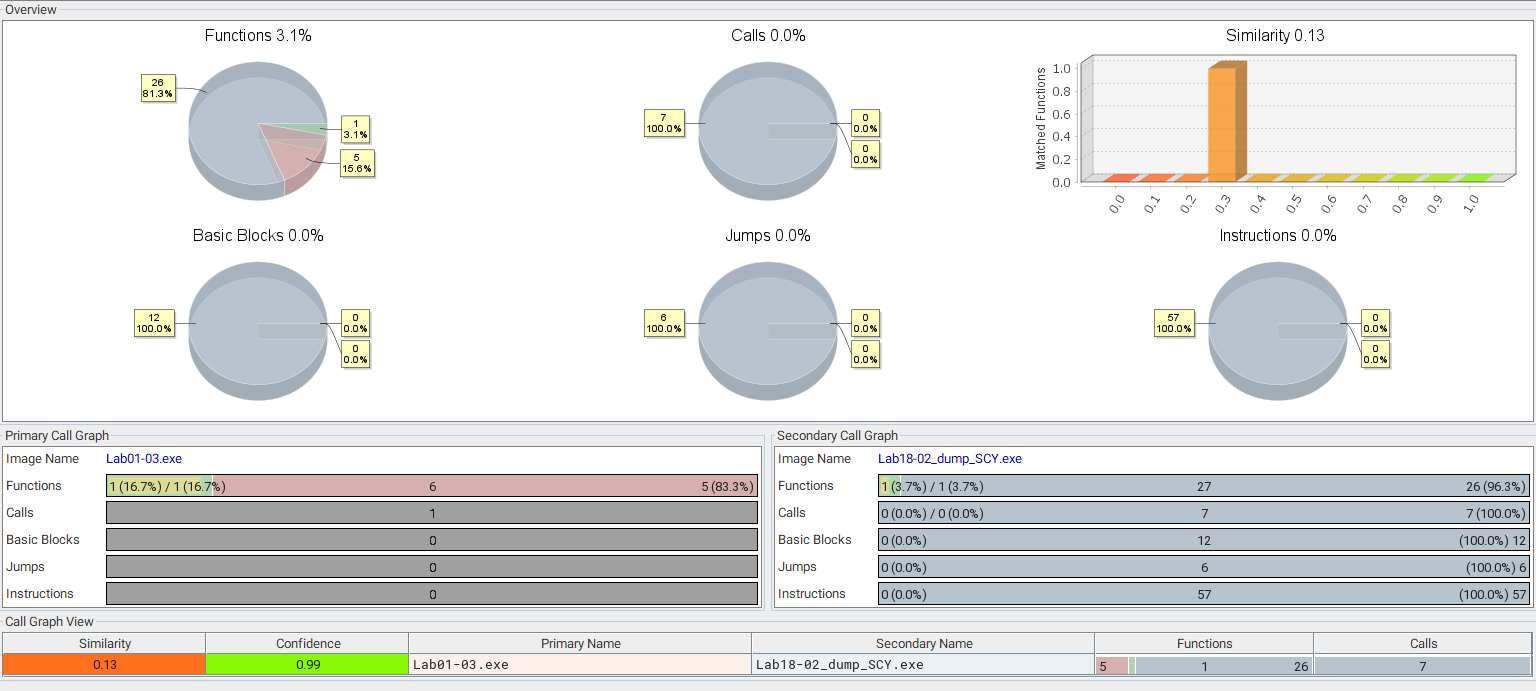
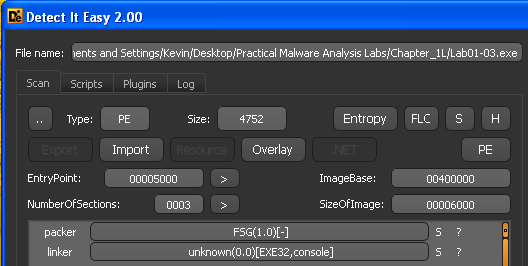
The reason why ssdeep found the samples similar is because Lab01-03.exe is also packed with FSG 1.0, and although Lab18-02_unpacked.exe is unpacked, it still contains the remains of the unpack stub:
On the contrary, Lab07-02.exe isn’t packed. And, comparing to Lab18-02_unpacked.exe, we find out that they are quite similar:
- Lab07-02.exe vs Lab18-02_unpacked.exe
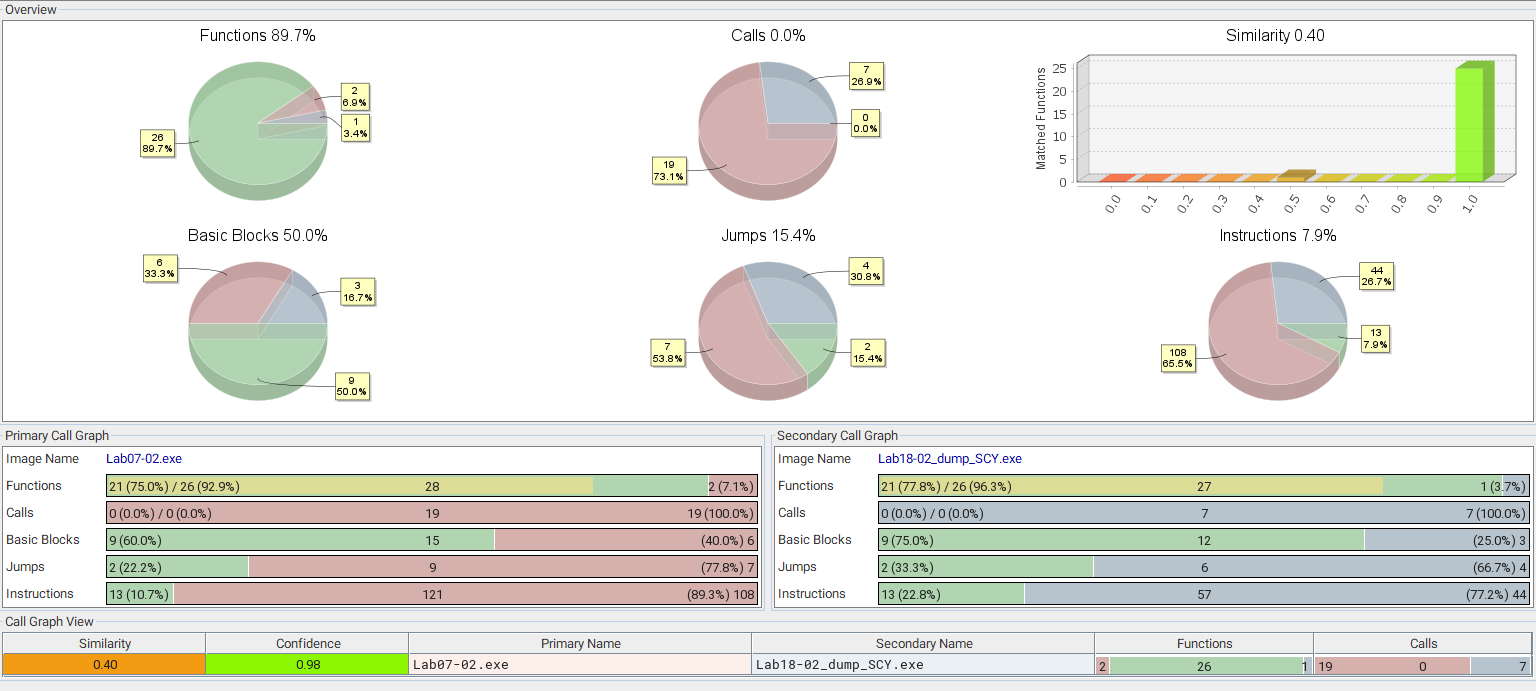
The similarities between files isn’t as close as in Lab18-01, but still it give us a high confidence that the sample that was packed into Lab18-02.exe, is indeed Lab07-02.exe.