PMA Lab 17-2: Anti-VM Techniques
Analyze the malware found in the file Lab17-02.dll inside VMware. After answering the first question in this lab, try to run the installation exports
Lab 17-2
Analyze the malware found in the file Lab17-02.dll inside VMware. After answering the first question in this lab, try to run the installation exports
using rundll32.exe and monitor them with a tool like procmon. The following is an example command line for executing the DLL:
rundll32.exe Lab17-02.dll,InstallRT (or InstallSA/InstallSB)
Note
I will try to go over the Lab, however as I’m using Virtualbox I’m certain there will be roadblocks to prevent me to completely answer all the questions.
Questions
-
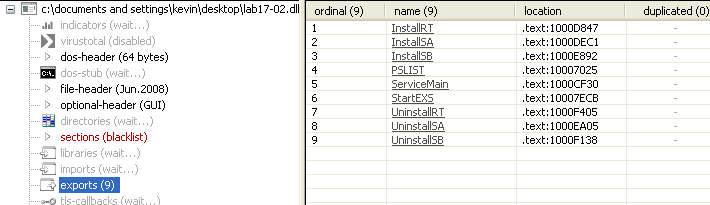
What are the exports for this DLL?
The Malware has 9 Exports:
-
What happens after the attempted installation using rundll32.exe?
Trying to install the Malware using InstallRT, created a file within the same directory as the DLL, called xinstall.txt. Appart from that, nothing seems to have happened. Looking at the text file, it seems the installation of the Malware has failed:

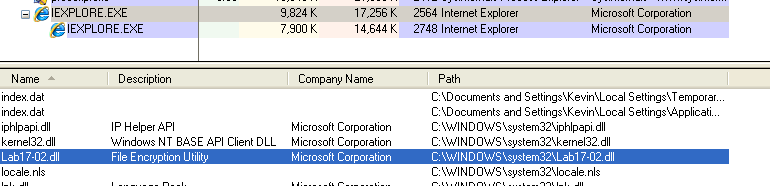
At first I thought it could be due to some Anti-VM technique but it turns out that this method injects into iexplore.exe, but doesn’t necessarily launch it. Therefore, since I didn’t have iexplore.exe running the the time, the injection wasn’t possible. After opening Internet Explorer and trying again, the Malware sucessfully injected into it:

This can be confirmed using Process Explorer. Lab17-02.dll shows up in the DLL pane list:
More details on how this Installation method works on the last question of this Lab.
-
Which files are created and what do they contain?
xinstall.txt is a logfile. It is created in the same folder as Lab17-02.dll, and contains the log of the installation process.
Also, using the InstallSA export, the dll has been copied to
system32, and replacedntmssvc.dll. -
What method of anti-VM is in use?
Using the provided Anti-VM instruction detection script in IDA Pro, only one technique has been detected:

Navigating to that address it is possible to see the Malware querying the I/O Communication Port using the
ininstruction: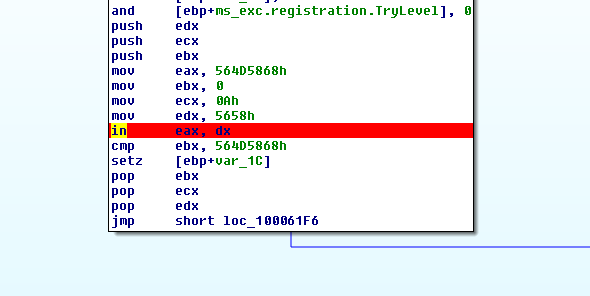
-
How could you force the malware to install during runtime?
The Malware executes the instruction
in eax, dxat 100061DB:
This instruction can be replaced by a NOP in order to install the Malware. In my case I cannot test out the specifics on what is happening and how to bypass it (since I’m using Virtualbox), therefore a more drastic approach is selected
-
How could you permanently disable the anti-VM technique?
Same as 2). By patching the binary and saving it to disk, the Anti-VM technique won’t run ever again.
-
How does each installation export function work?
InstallRT
The first Export that was analyzed is InstallRT. The first time the Malware was executed using this Export it seems to have failed to Inject the DLL (according to a log file that was created within the same directory - xinstall.txt):
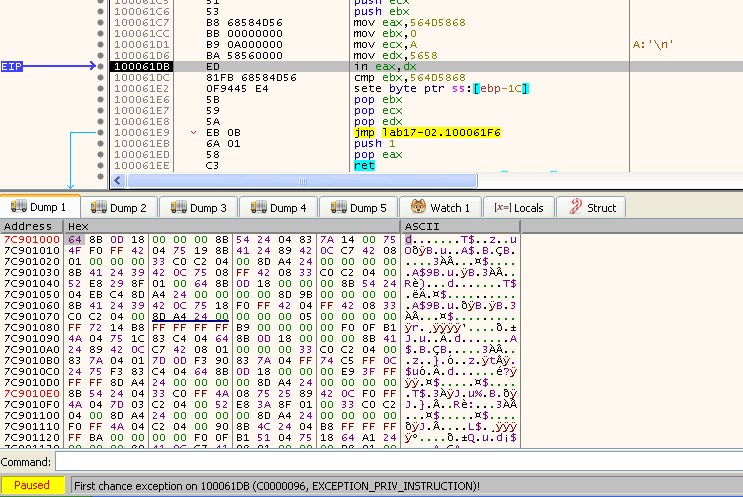
Let’s try to find out why the first Export install failed. While running the DLL in x32dbg, inside sub_10006196 there’s an exception while running the instruction at 100061DB. This is an Anti-VM technique:
Nevertheless, as seen in the following image, exiting sub_10006196, the jump will skip over the part that logs “Found Virtual Machine”, thus we can conclude that the Malware was unsuccessful in detecting the VM, and this is not the reason the Malware didn’t inject:

In case the Anti-VM technique had found that the system is indeed a VM, a bat file called vmselfdel.bat would be created:
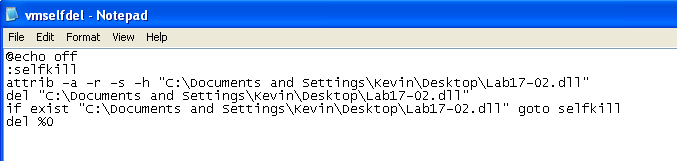
As it is possible to see from the code, and the name of the file, this bat file will delete the dll from the system. This file is then executed using WinExec:

This functionality has been possible to analyze by swapping the Zero Flag, since as previously mentioned the VM wasn’t detected. Also, the functions responsible for Anti-VM detection and self deletion, are present in all the Install* Exports, as seen using XRefs:
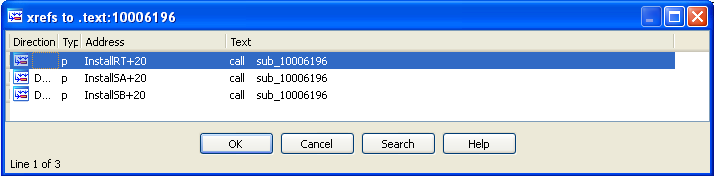
From the previous log message in xinstall.txt, it was possible to find that the Malware was trying to inject on iexplore.exe.
The Malware at some point pushes into the stack the string iexplore.exe, and calls sub_10004249. This function only iterates over the processes using CreateToolhelp32Snapshot, Process32First, and Process32Next. Since it never spawns any iexplore.exe instance, and this process wasn’t running the first time, it failed:
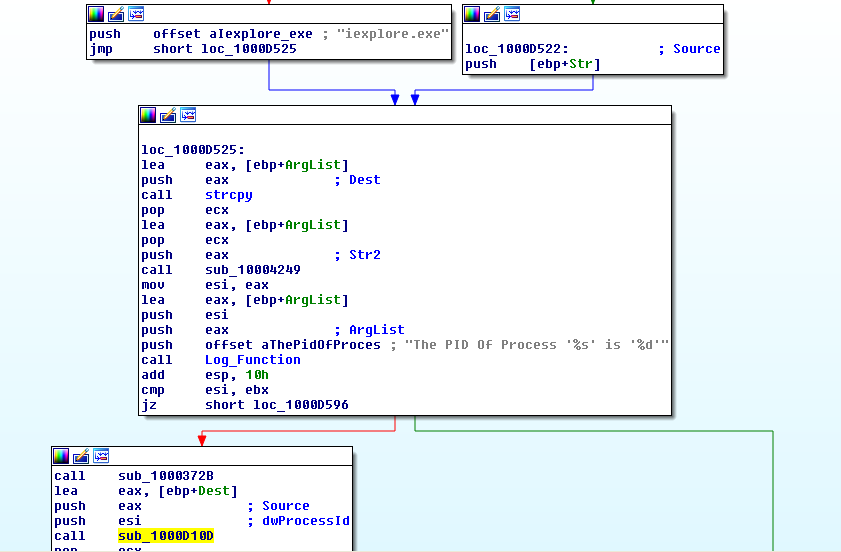
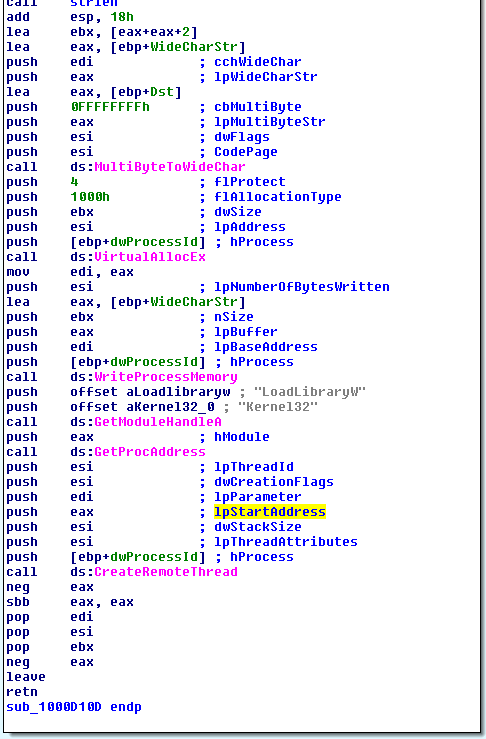
The Process Injection is done through sub_1000372B, and sub_1000D10D.
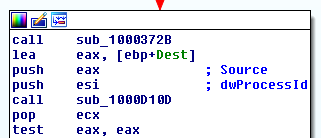
The first function elevates the current process’s privileges to allow interaction with other processes. It calls OpenProcessToken, followed by LookupPrivilegeValueA to retrieve the
SeDebugPrivilegeLUID. Finally it calls AdjustTokenPrivileges to enable theSeDebugPrivilegefor the current process, allowing it to access and manipulate iexplore.exe.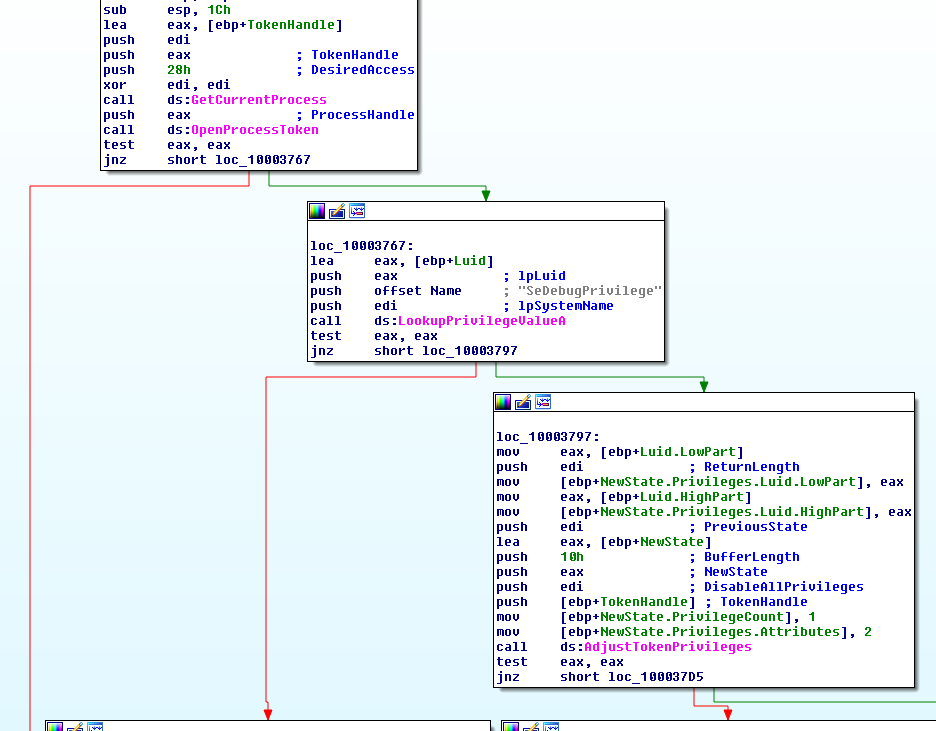
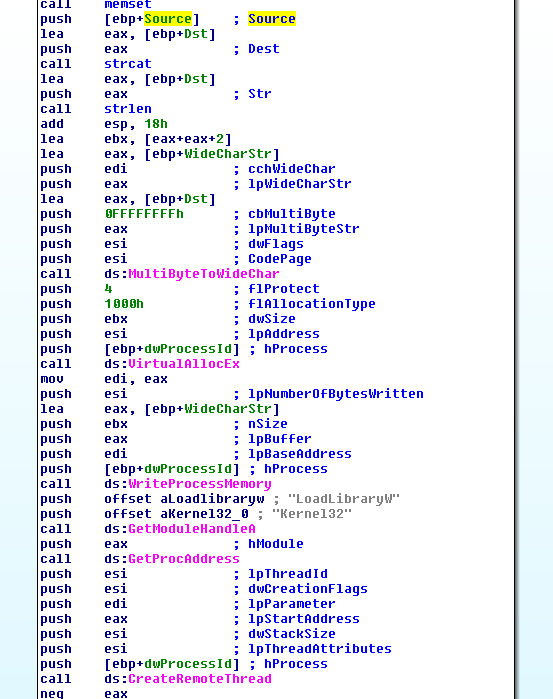
The second function performs a classic DLL injection into a remote process. Starts by getting a handle to iexplore.exe using OpenProcess, allocates memory using VirtualAllocEx, and writes the DLL name to it using WriteProcessMemory. Finally it loads the DLL by calling GetModuleHandleA, GetProcAddress, and CreateRemoteThread. The lpStartAddress of the Thread is LoadLibrary and the lpParameter is a buffer in memory containing the string Lab17-02.dll in Unicode:
InstallSA:
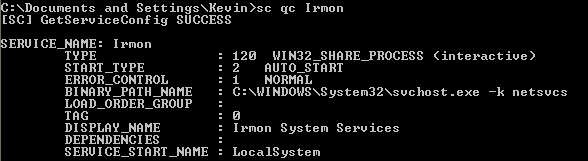
This method creates a Service:
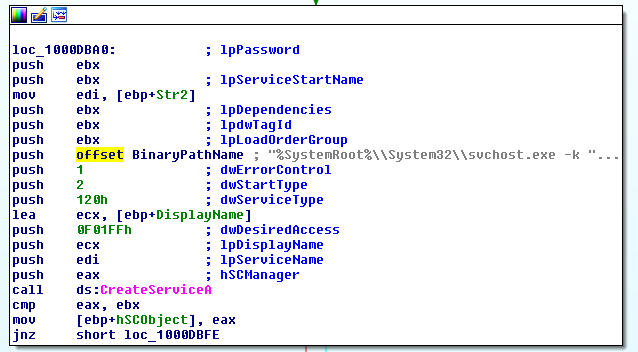
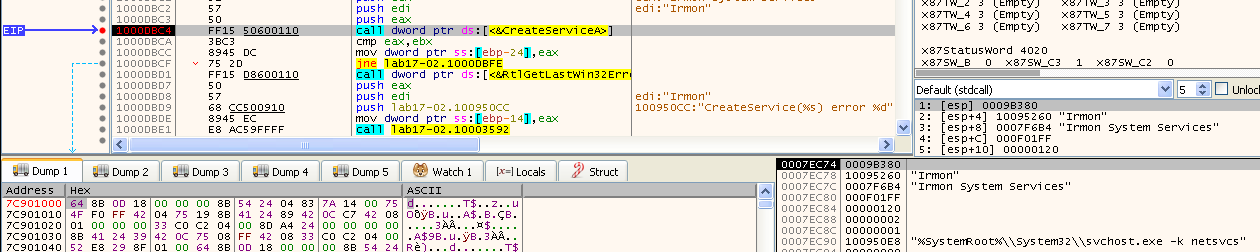
The service name is Irmon System Services:
The Malware sets the
ServiceDllvalue in the Windows Registry to a copy of the malicious DLL. This field tells the Service Control Manager (SCM) what code to run when a service starts, hence, the Service runs the malicious DLL:
With the following command it is possible to see information regarding the malicious service:
InstallSB:
Just like InstallSA, this mode also installs the Malware as a service.
Before installing the Malware as a service the Malware looks for winlogon.exe, in sub_10005A0A, and disable Windows File Protection (WFP).
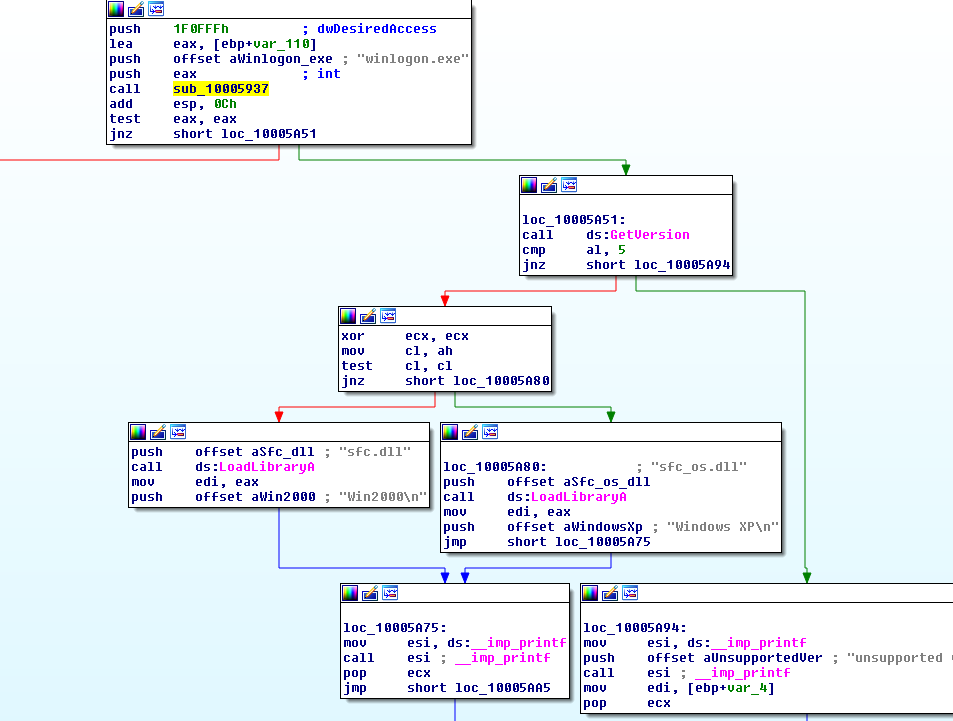
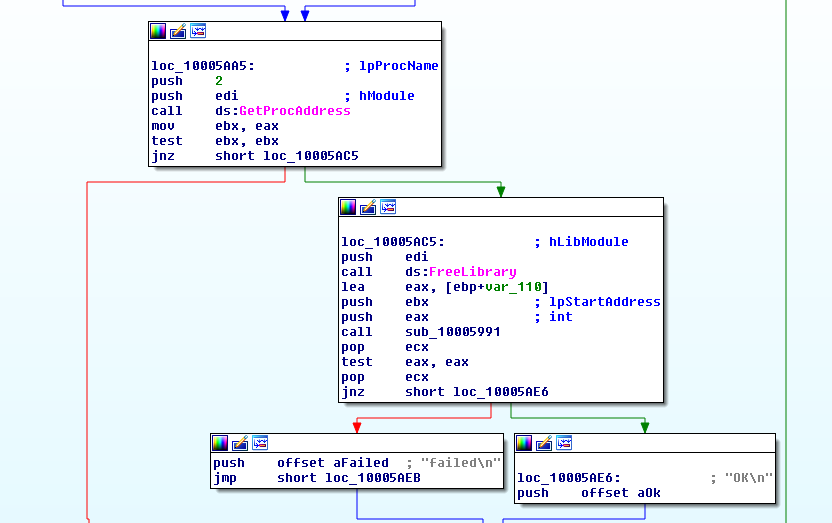
This is done by calling FreeLibrary on sfc_os.dll (or sfc.dll, depending on the Windows version):
After that, sub_1000DF22 is called. Inside this function we start to see similar code to InstallSA, with some differences. By default the service name is NtmsSvc, or it can be any other service from the system. In case the service name doesn’t exist, this method will fail:
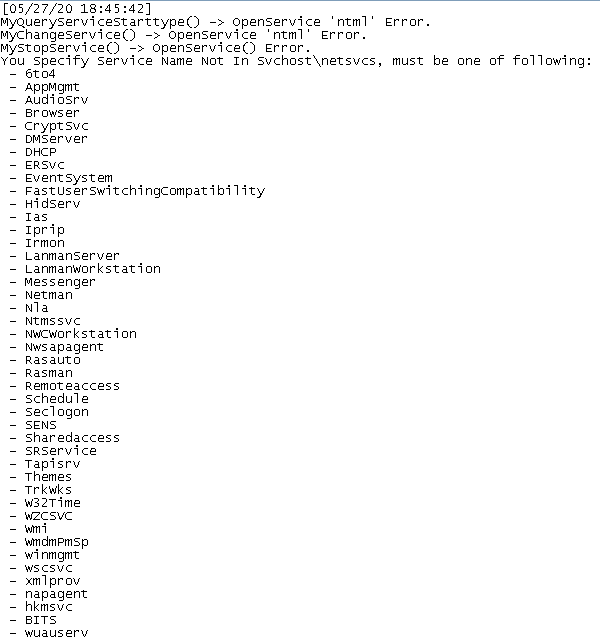
The Malware logs actually make it easier to analyze the Malware since they give clues as to what the Malware is doing. Obviously the logs alone don’t mean nothing and may mislead, but looking at the rest of the code they make sense.
For instance, after the Malware checking if the Service is already running on the Machine it “infects” that service by replacing the DLL in
ServiceDLL. However, it is possible that the service is already running. In that case, instead of restarting the service, and possibly causing some service disruption, the Malware calls sub_1000D10D: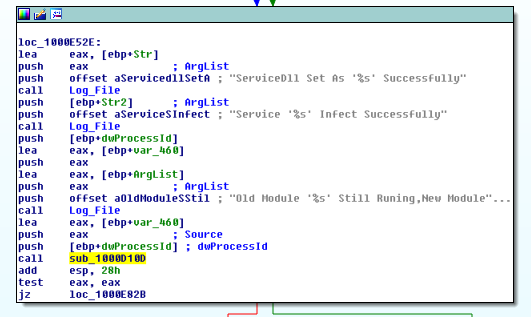
This function performs process injection on the provided PID:
Also, the Malware copy itself to system32. Here it is possible to see the log file after successfully running this Export:

The actual log file hint at some of the functionalities previously mentioned. Also, the 3 Uninstall exports undo these installation methods, by unloading the DLL in case of UninstallRT, and removing services and restoring files in the cases of UninstallSA, and UninstallSB.