PMA Lab 13-2: Data Encoding
Analyze the malware found in the file Lab13-02.exe.
Lab 13-2
Analyze the malware found in the file Lab13-02.exe.
Analysis:
By analyzing the Imports, we can start to suspect some of the functionalities of this Malware:
- The Malware may dynamically resolve and import external resources (GetProcAddress, LoadLibraryA, and GetModuleFileNameA)
- The Malware may allocate memory and use it in some fashion. (VirtualAlloc, HeapAlloc, VirtualFree, HeapFree, etc.)
- The Malware may create and write files. (WriteFile, and CreateFile)
In terms of strings, there are no Strings that stand out.
Advancing to Basic Dynamic Analysis, after executing Lab13-02.exe, we can start observing several files appearing in the same directory:
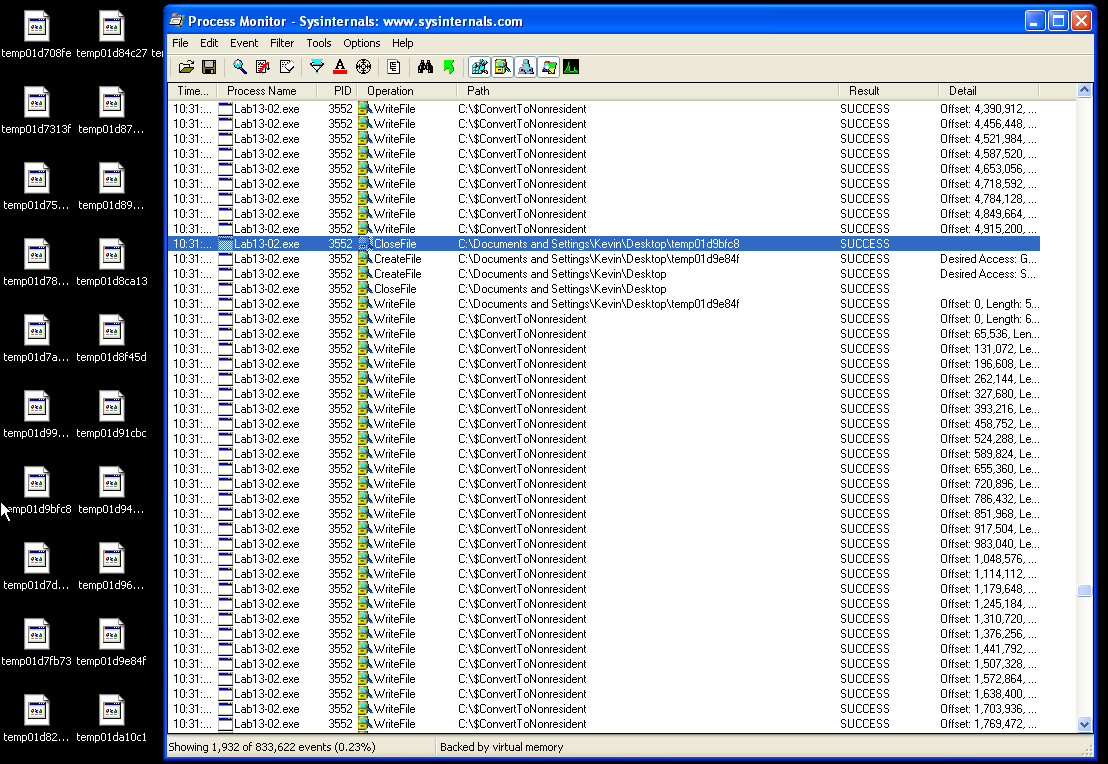
Every file has 5,00MB and all of them are different. When attempting to see the file content in Notepad, we see that the data is unreadable. After executing for a while, Desktop (location of Lab13-02.exe) contained several of these files:
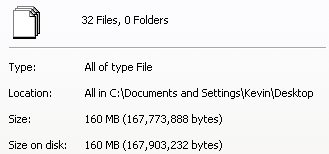
Apart from this, there is nothing else interesting and thus, we can advance to Advanced Static Analysis and Advanced Dynamic Analysis.
Opening Lab13-02.exe in IDA we can see that the Main function is pretty straightforward:
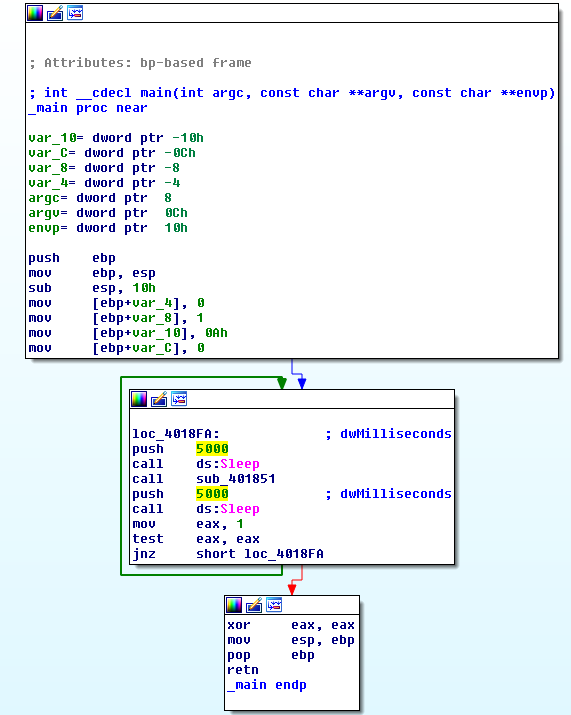
It initializes some variables, sleeps for 5 seconds, calls sub_401851, sleeps for another 5 seconds, and keeps on executing on an infinite loop.
Function sub_401851 starts by calling sub_401070. Inside this function we see several API Calls, such as: GetSystemMetrics, GetDesktopWindow, GetDC, CreateCompatibleDC, CreateCompatibleBitmap, SelectObject, BitBlt and others.
After a little bit of reading, these functions are used in implementations of Screenshot taking, using Win32 API. Thus, let’s rename sub_401070 to printscreen.
After the printscreen is taken, sub_40181F is called. This function takes two arguments: hMem and nNumberOfBytesToWrite.
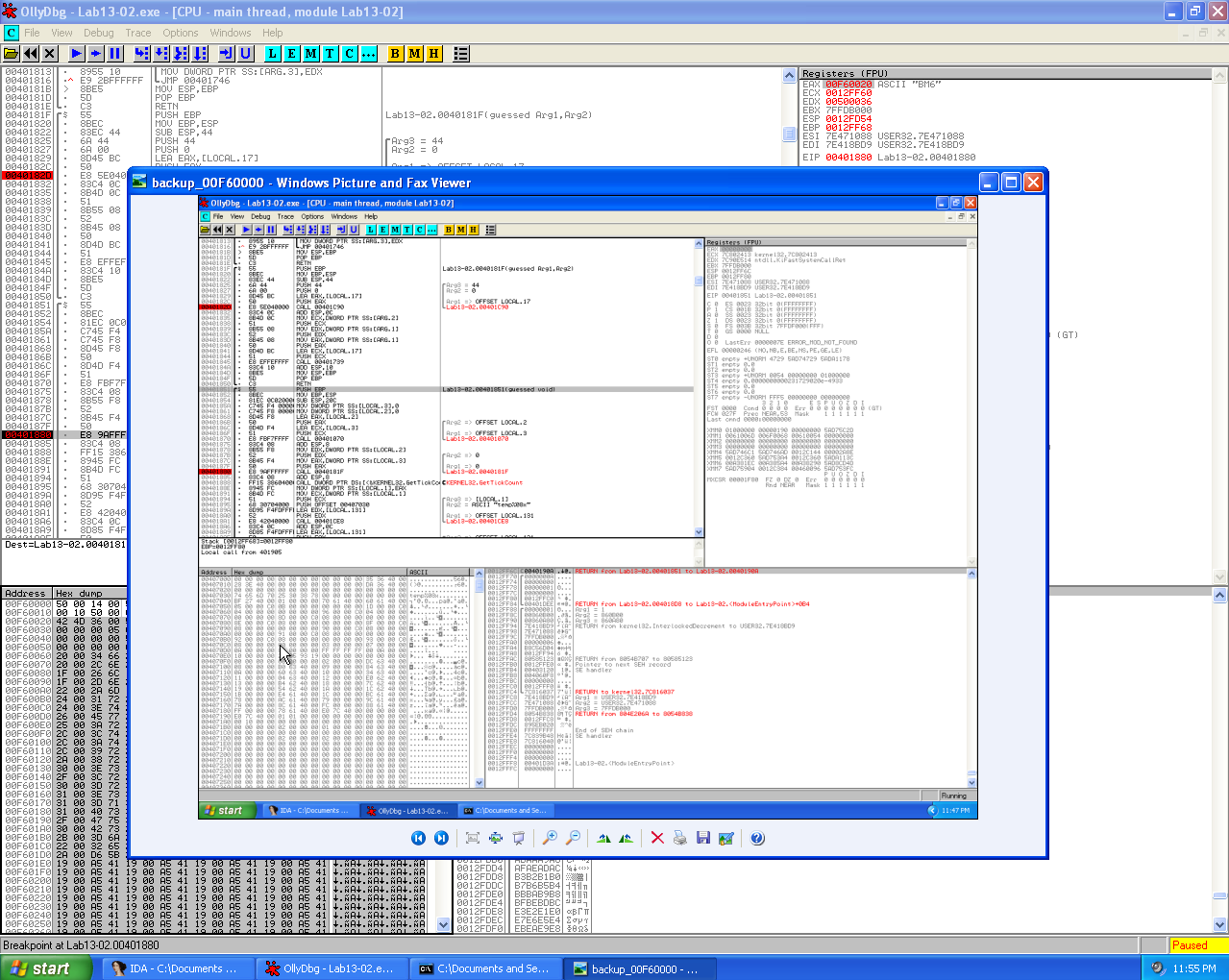
Using Olly we can see that hMem is set to a buffer that starts with the BM6 header and the number of bytes to write is 500036.
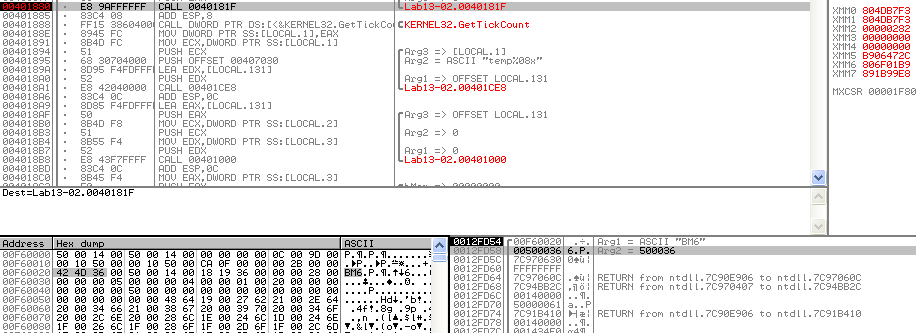
Also, we can dump this memory zone to a file, clear the header (delete some extra bytes) in a Hex Editor and actually see the Printscreen:
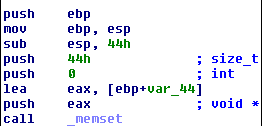
Function sub_40181F starts by calling memset, which sets the first num bytes of the block of memory pointed by ptr to the specified value.
The usage of memset is:
void * memset ( void * ptr, int value, size_t num );
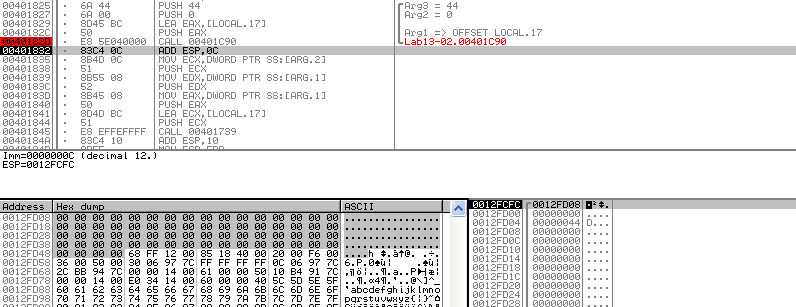
In this case, it will set the first 68 bytes (0x44) of hMem to 0:
We can observe this in Olly:
Then function sub_401739 is called. This function contains several dozens of XOR, SHL (shift left), and SHR (shift right) instructions. Clearly a custom encoding routine, thus, sub_40181F can be renamed as custom_enconding_routine.
Then, GetTickCount (retrieves the number of milliseconds that have elapsed since the system was started, up to 49.7 days) is used to create a string with temp (e.g. temp022ed831).
This string is then used in sub_401000, along with the hMem buffer (now encoded), and nNumberOfBytesToWrite. This is the function where the files are created and can be renamed to write_encoded_printscreen.
Basically, in order to sum up sub_401851, it calls printscreen function, followed by custom_enconding_routine which encodes the printscreen and then stores it on a file by calling write_encoded_printscreen.
This function is running on a loop and creates an encoded printscreen every ~10 seconds (2 sleeps of 5 seconds, plus the time of code execution):
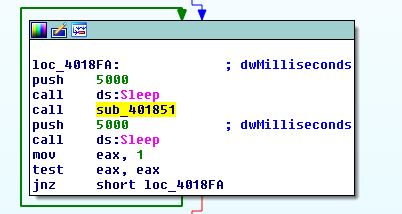
Once again, this function is running on an infinite loop.
Questions:
1) Using dynamic analysis, determine what this malware creates.
The Malware is creating unreadable files. Each of them with 5MB.
2) Use static techniques such as an xor search, FindCrypt2, KANAL, and the IDA Entropy Plugin to look for potential encoding. What do you find?
Searching for the string XOR we can find several instances of this instruction inside sub_401739. This function is part of custom_enconding_routine (sub_40181F):
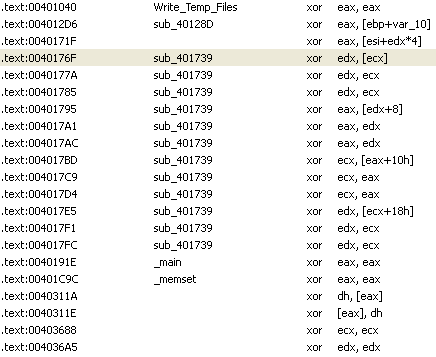
KANAL, FindCrypt2, and IDA Entropy Plugin didn’t identify any encoding mechanisms.
3) Based on your answer to question 1, which imported function would be a good prospect for finding the encoding functions?
Since the Malware is creating several files with unreadable data (encoded), a good starting point to find the encoding function is to search for the CreateFile or WriteFile functions:

As we can see, there’s only one instance of CreateFileA, inside Write_Temp_Files (sub_401000 renamed). This function takes a parameter named hMem. Using XREFS once again, we can see where this variable is used:

As we can see, all the instances are inside sub_401851 (renamed to write_encoded_printscreen).
4) Where is the encoding function in the disassembly?
The encoding function is inside function sub_401851.
5) Trace from the encoding function to the source of the encoded content. What is the content?
The content is a printscreen of the Machine.
6) Can you find the algorithm used for encoding? If not, how can you decode the content?
The encoding algorithm is custom. However, it is composed of reversible instructions: XOR, SHR, and SHL. The best option is to use the Malware itself in order to decode the content.
7) Using instrumentation, can you recover the original source of one of the encoded files?
Since the custom encoding algorithm is composed of reversible instructions (XOR, SHR, and SHL), it’s possible to use instrumentation and execute the same function with encoded data, and thus, decoding it.
After taking the printscreen, the Malware calls custom_encoding_routine (sub_401851) with two parameters: hMem (EBP-12), and nNumberOfBytesToWrite (EBP-8):

So, a Breakpoint is created right after the function printscreen (sub_401070) is called, and prepare the variables that will be used to custom_encoding_routine with the information we want to decode.
In this case, let’s use temp022ed831, a file that was previously created by the Malware. The file is read to a buffer which is then passed to hMem (EBP-12), and its size to nNumberOfBytesToWrite (EBP-8).
After that, another Breakpoint is created at 0x004018BD, right after write_encoded_printscreen (sub_401000).
This way, we execute custom_encoding_routine with the encoded data and let the Malware write the decoded file for us.
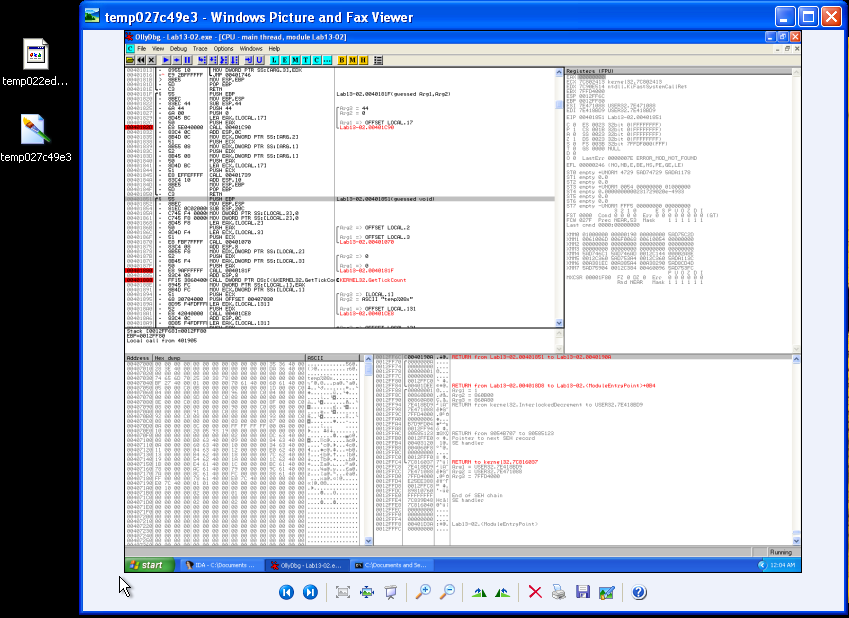
In between custom_encoding_routine, and write_encoded_printscreen the Malware will execute GetTickCount and generate a new filename. The decoded filename will have a “random temp name”, in this case, temp027c49e3. Even though the file doesn’t have the .bmp extension, it was recognized by Windows and was opened without any problems:
The final script looks like this:
#!/usr/bin/python

import immlib

def main(args):
    imm = immlib.Debugger()

    #Open the encoded file for read
    enc_file = open("C:\\Documents and Settings\\Kevin\\Desktop\\temp022ed831","rb")
    #Read the encoded file to a buffer
    buffer = enc_file.read()
    #Get length of the bugger
    sz = len(buffer)

    #Allocate memory within the Debugger
    membuf = imm.remoteVirtualAlloc(sz)
    #Copy into debugged process's memory
    imm.writeMemory(membuf, buffer)

    #Breakpoint before push of the first argument
    imm.setBreakpoint(0x00401875)
    #Execute function header
    imm.run()

    regs = imm.getRegs()
    #Set NumberofBytesToWrite stack variable
    imm.writeLong(regs["EBP"]-0x8, sz)
    #Set lpBuffer stack variable
    imm.writeLong(regs["EBP"]-0xC, membuf)

    #Set Breakpoint after WriteFile
    imm.setBreakpoint(0x004018BD)
    #Execute until custom_encoding_routine finishes
    imm.run()

    return "decoded"